Every squad collects people who are not on it anymore.
Someone moved cities. Someone stopped showing up in March and never said why. Two people signed up for a season that ended a year ago. A guy joined for one tournament and has been on the list ever since.
None of it is urgent, so nobody deals with it. The squad list quietly drifts away from the actual team.
Clearing it out used to be a chore. Open a player's menu, tap remove, read the warning, confirm, wait for the list to reload, scroll back to where you were, find the next one. That is fine for one player. It is miserable for nine.
Captains can now remove players in bulk.
What changed
There is a new Select button at the top of the Squad tab, next to Add Teammates. It only shows for captains.
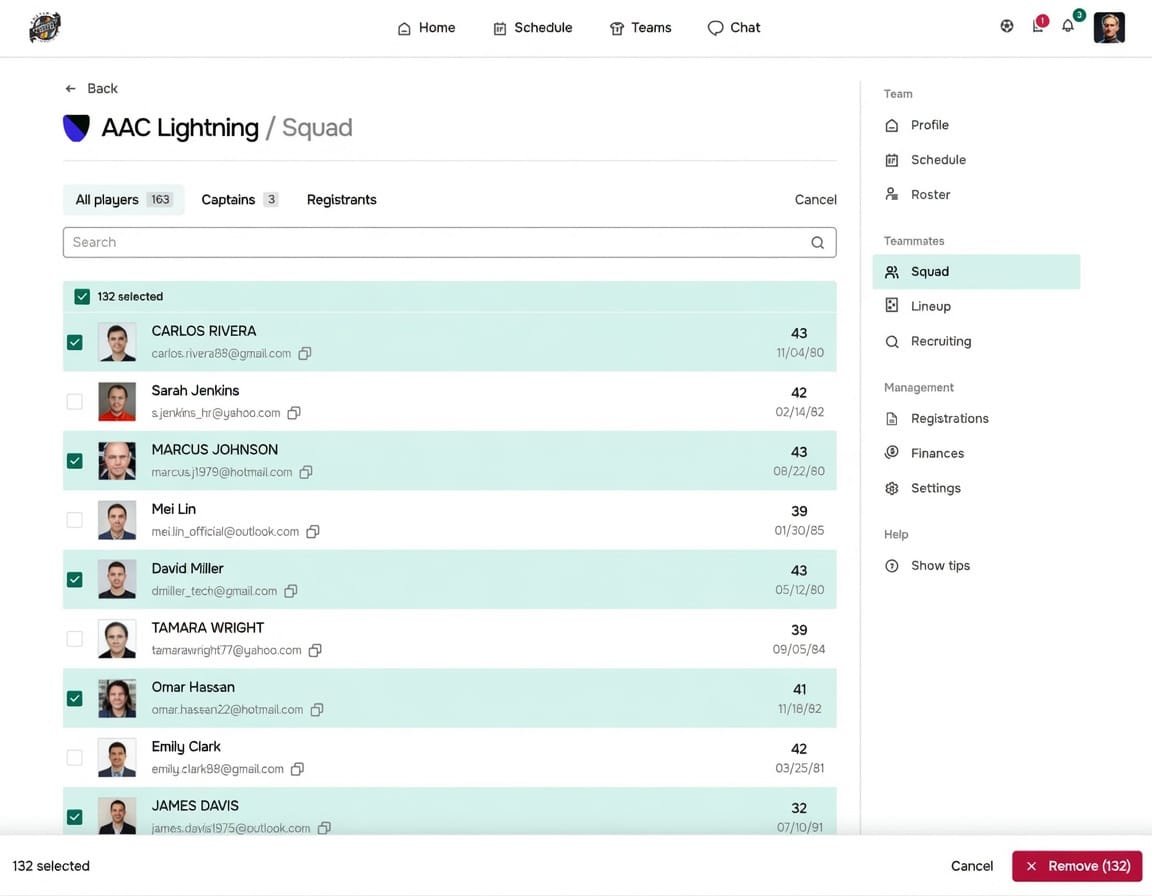
Tap it and the list switches into select mode. A checkbox appears on every player row. Check the players you want to remove, and a bar slides up from the bottom of the screen with a running count and a red Remove button.
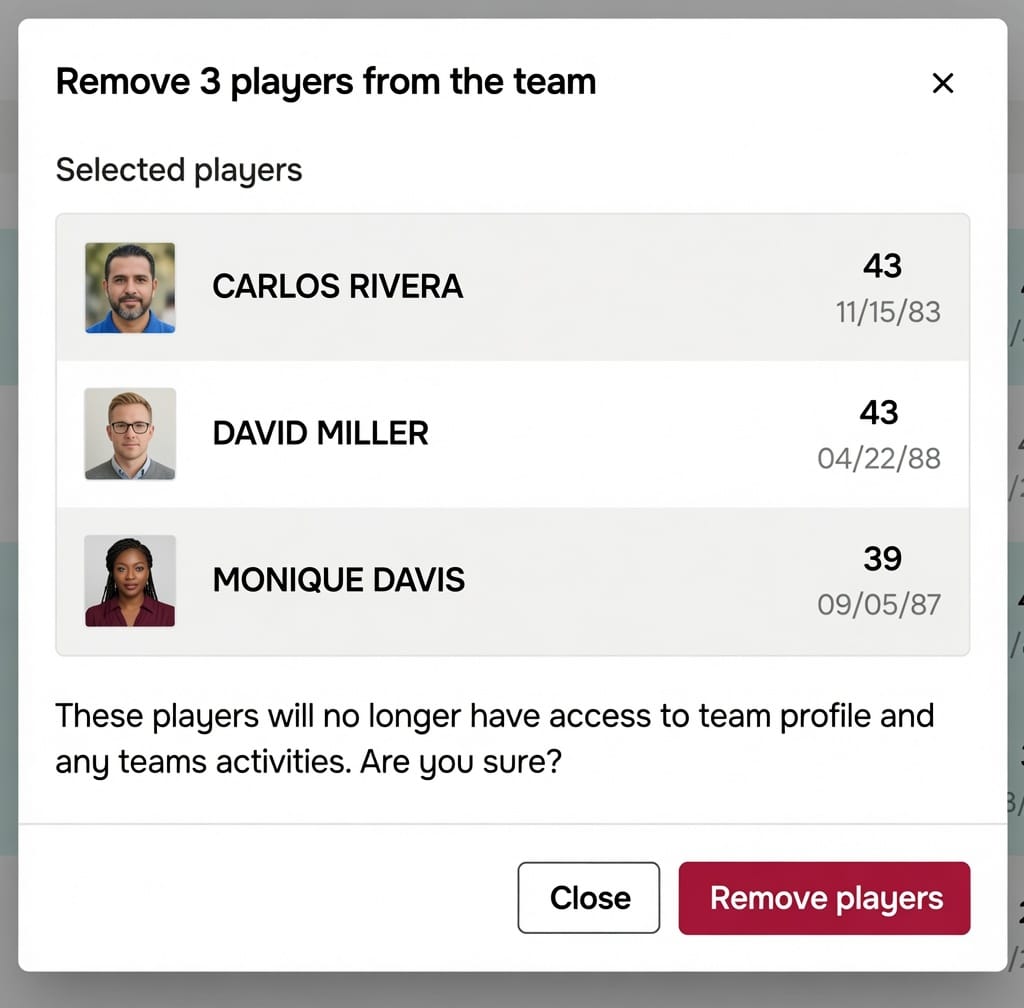
Tap Remove and you get a confirmation screen. It lists every player you selected, by name and photo, and tells you plainly what removal means: those players lose access to the team profile and to team activities. Confirm, and all of them are removed in one step. The list updates immediately.
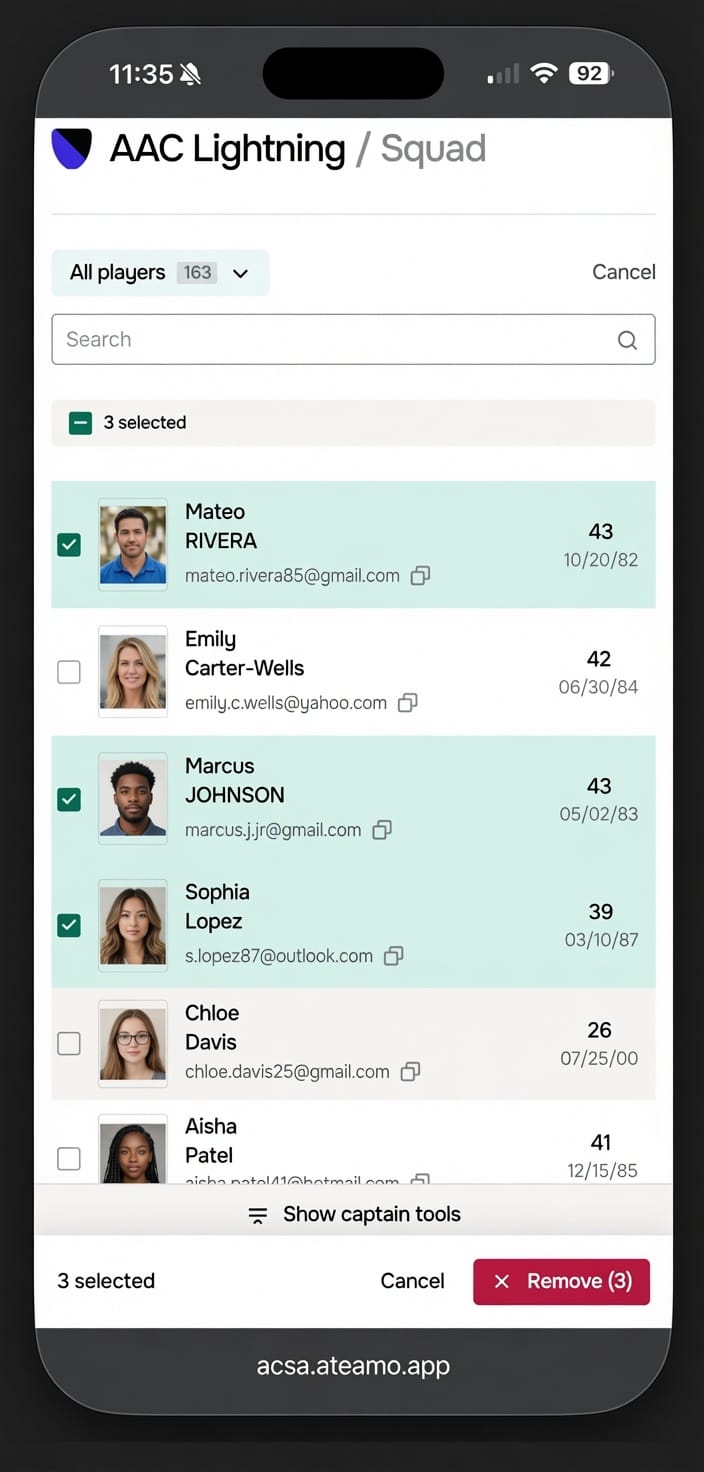
If it feels like selecting photos on your phone, that was the idea. Tap Select, tap the things, act on them, done.
The details worth knowing
Select all does what you are looking at. There is a select all checkbox above the list. If you have searched or filtered the squad first, select all picks the players currently on screen, not the entire roster. Search for "guest", tap select all, remove. That is the whole job.
Search does not lose your picks. You can check three players, search for a fourth, check them, and clear the search. Everyone you picked is still selected. The count in the bottom bar tells you where you stand.
Some rows cannot be checked. You will not be able to select yourself, another captain, or a player whose registration is tied to this team. Those cases still have to go through the individual player menu, where the app can walk you through what happens. It is a small guard rail that stops a fast bulk action from doing something you would have to undo.
Nothing happens until you confirm. The Cancel button backs you out of select mode and clears everything you picked. No removal happens from the list itself, only from the confirmation screen.
Why this matters more than it sounds
A stale roster is not just untidy. It costs you in small ways all season.
Team messages go out to people who left. Attendance and availability numbers look wrong, so you cannot tell at a glance whether you have enough players for Saturday. New teammates open the squad list and scroll past strangers to find anyone they know. If you are running numbers for fees or registrations, the count you are working from is not the count you actually have.
Captains know all of this. They put up with it because cleaning the list costs more effort than living with the mess. That is a bad trade to force on someone volunteering their evenings.
Two minutes at the end of a season now fixes the whole thing.
How to do it
- Open your team and go to the Squad tab.
- Tap Select in the top right.
- Check the players you want to remove. Use the select all checkbox, or search first and then select all, if you are clearing out a group.
- Tap Remove in the bar at the bottom.
- Check the list on the confirmation screen, then confirm.
That is it. No settings to turn on, no admin request. If you are a captain, the button is already there.
Good times to run a cleanup
- End of season. The clearest moment. Anyone who did not come back does not need to be on next season's list.
- After a tournament or a one off. Guest players you added for a single weekend.
- When you take over as captain. Inheriting a squad usually means inheriting a few years of accumulated names.
- Before registration opens. Send sign up messages to the people who are actually playing.
The bigger picture
This is a small feature and it is the kind we keep coming back to. Most of the friction in running a team is not one big missing thing. It is twenty small ones, each costing a minute, each too minor to complain about, all of them adding up to why people go back to a spreadsheet.
If your squad list has not matched your team since last spring, it will take you about two minutes to fix that now.